-

Fototrend
OpenWrt topic

Új hozzászólás Aktív témák
-
#19795
 yodee_
őstag
bmxbandita
#19794
yodee_
őstag
bmxbandita
#19794
yodee_
őstag
válasz
 bmxbandita
#19794
üzenetére
bmxbandita
#19794
üzenetére
Természetesen 160Mhz-en tud ennyit.
-
#19788
yodee_
őstag
bmxbandita
#19787
yodee_
őstag
válasz
bmxbandita
#19787
üzenetére
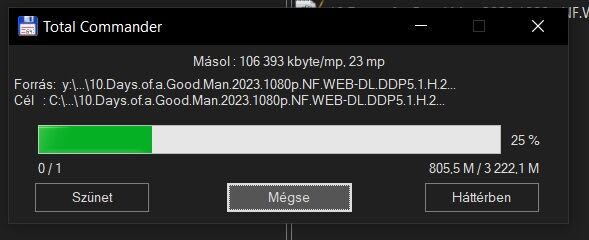
A laptopod tudna többet vagy ez a teteje? Mert ennyit a jelenlegi AX3200-al is csinálok:
-
#19722
yodee_
őstag
bmxbandita
#19719
yodee_
őstag
válasz
bmxbandita
#19719
üzenetére
Hol sikerült venni, és mennyiért? Ha nem titok.
-
#19630
yodee_
őstag
paparazzi2
#19629
yodee_
őstag
válasz
 paparazzi2
#19629
üzenetére
paparazzi2
#19629
üzenetére
Amennyiben valós adatot akarsz akkor kábelen méred egy számítógépen. A routert ezzel terhelni nem szerencsés. Nem fog valós adatot adni, főleg ha izmos a kapcsolatod. Szerintem legalábbis, aztán majd megcáfolnak ha mégsem így van

-
#19562
yodee_
őstag
bmxbandita
#19561
yodee_
őstag
válasz
bmxbandita
#19561
üzenetére
Miért feltétel az AC? Xiaomi AX3200-al AX-en megvan wifin a gigabit, AP módban.
-
#19275
yodee_
őstag
tha_answer
#19272
yodee_
őstag
válasz
 tha_answer
#19272
üzenetére
tha_answer
#19272
üzenetére
Mi a baj az AX részével?
-
yodee_
őstag
Sziasztok!
Korábban Én is szemeztem a
fancontrol-lal, mivel ubuntu alatt nagy megelégedettséggel használom. A leírás alapján minden megcsinálok, telepítek minden függőséget. Lefut apwmconfigés létrejön afancontrolkonfiguráció.root@OpenWRT_x86-64:/etc/fan$ ./pwmconfig# pwmconfig version 3.6.0This program will search your sensors for pulse width modulation (pwm)controls, and test each one to see if it controls a fan onyour motherboard. Note that many motherboards do not have pwmcircuitry installed, even if your sensor chip supports pwm.We will attempt to briefly stop each fan using the pwm controls.The program will attempt to restore each fan to full speedafter testing. However, it is ** very important ** that youphysically verify that the fans have been to full speedafter the program has completed.Found the following devices:hwmon0 is acpitzhwmon1 is coretemphwmon2 is w83627dhgFound the following PWM controls:hwmon2/pwm1 current value: 255hwmon2/pwm2 current value: 255hwmon2/pwm3 current value: 255hwmon2/pwm4 current value: 255Giving the fans some time to reach full speed...Found the following fan sensors:hwmon2/fan1_input current speed: 1917 RPMhwmon2/fan2_input current speed: 6026 RPMhwmon2/fan3_input current speed: 0 ... skipping!hwmon2/fan4_input current speed: 0 ... skipping!hwmon2/fan5_input current speed: 0 ... skipping!Warning!!! This program will stop your fans, one at a time,for approximately 5 seconds each!!!This may cause your processor temperature to rise!!!If you do not want to do this hit control-C now!!!Hit return to continue:Testing pwm control hwmon2/pwm1 ...hwmon2/fan1_input ... speed was 1917 now 1917no correlationhwmon2/fan2_input ... speed was 6026 now 6026no correlationNo correlations were detected.There is either no fan connected to the output of hwmon2/pwm1,or the connected fan has no rpm-signal connected to one ofthe tested fan sensors. (Note: not all motherboards havethe pwm outputs connected to the fan connectors,check out the hardware database on http://www.almico.com/forumindex.php)Did you see/hear a fan stopping during the above test (n)? nTesting pwm control hwmon2/pwm2 ...hwmon2/fan1_input ... speed was 1917 now 1896no correlationhwmon2/fan2_input ... speed was 6026 now 6026no correlationNo correlations were detected.There is either no fan connected to the output of hwmon2/pwm2,or the connected fan has no rpm-signal connected to one ofthe tested fan sensors. (Note: not all motherboards havethe pwm outputs connected to the fan connectors,check out the hardware database on http://www.almico.com/forumindex.php)Did you see/hear a fan stopping during the above test (n)? nTesting pwm control hwmon2/pwm3 ...hwmon2/fan1_input ... speed was 1917 now 1906no correlationhwmon2/fan2_input ... speed was 6026 now 0It appears that fan hwmon2/fan2_inputis controlled by pwm hwmon2/pwm3Would you like to generate a detailed correlation (y)? nTesting pwm control hwmon2/pwm4 ...hwmon2/fan1_input ... speed was 1917 now 1917no correlationhwmon2/fan2_input ... speed was 6026 now 6026no correlationNo correlations were detected.There is either no fan connected to the output of hwmon2/pwm4,or the connected fan has no rpm-signal connected to one ofthe tested fan sensors. (Note: not all motherboards havethe pwm outputs connected to the fan connectors,check out the hardware database on http://www.almico.com/forumindex.php)Did you see/hear a fan stopping during the above test (n)? nTesting is complete.Please verify that all fans have returned to their normal speed.The fancontrol script can automatically respond to temperature changesof your system by changing fanspeeds.Do you want to set up its configuration file now (y)? yWhat should be the path to your fancontrol config file (/etc/fancontrol)? /etc/fan/fancontrolLoading configuration from /etc/fan/fancontrol ...Select fan output to configure, or other action:1) hwmon2/pwm3 4) Save and quit2) Change INTERVAL 5) Show configuration3) Just quitselect (1-n): 1Devices:hwmon0 is acpitzhwmon1 is coretemphwmon2 is w83627dhgCurrent temperature readings are as follows:hwmon0/temp1_input 27hwmon0/temp2_input 29hwmon1/temp1_input 29hwmon1/temp2_input 27hwmon1/temp3_input 28hwmon1/temp4_input 24hwmon1/temp5_input 28hwmon2/temp1_input 26hwmon2/temp2_input 0hwmon2/temp3_input 23Select a temperature sensor as source for hwmon2/pwm3:1) hwmon0/temp1_input2) hwmon0/temp2_input3) hwmon1/temp1_input4) hwmon1/temp2_input5) hwmon1/temp3_input6) hwmon1/temp4_input7) hwmon1/temp5_input8) hwmon2/temp1_input9) hwmon2/temp2_input10) hwmon2/temp3_input11) None (Do not affect this PWM output)select (1-n): 8Enter the low temperature (degree C)below which the fan should spin at minimum speed (20): 30Enter the high temperature (degree C)over which the fan should spin at maximum speed (60): 55Enter the minimum PWM value (0-255)at which the fan STOPS spinning (press t to test) (100): 100Enter the minimum PWM value (100-255)at which the fan STARTS spinning (press t to test) (150): 110Enter the PWM value (0-100) to use when the temperatureis below the low temperature limit (0): 0Enter the PWM value (100-255) to use when the temperatureis over the high temperature limit (255): 255Select fan output to configure, or other action:1) hwmon2/pwm3 4) Save and quit2) Change INTERVAL 5) Show configuration3) Just quitselect (1-n): 5Common Settings:INTERVAL=10Settings of hwmon2/pwm3:Depends on hwmon2/temp1_inputControls hwmon2/fan2_inputMINTEMP=30MAXTEMP=55MINSTART=110MINSTOP=100MINPWM=0MAXPWM=255Select fan output to configure, or other action:1) hwmon2/pwm3 4) Save and quit2) Change INTERVAL 5) Show configuration3) Just quitselect (1-n): 4Saving configuration to /etc/fan/fancontrol...Configuration savedÉrdekesség, hogy a
pwmconfiglefuttatása előtt a fancontrol egy futtatható állomány, utána nekem kell azzá tennem. Amint ezt megteszem, és próbálom futtatni ezt kapom:root@OpenWRT_x86-64:/etc/fan# ./fancontrol &root@OpenWRT_x86-64:/etc/fan# ./fancontrol: line 5: hwmon2/pwm3=hwmon2/temp1_input: not found./fancontrol: line 6: hwmon2/pwm3=hwmon2/fan2_input: not found./fancontrol: line 7: hwmon2/pwm3=30: not found./fancontrol: line 8: hwmon2/pwm3=55: not found./fancontrol: line 9: hwmon2/pwm3=110: not found./fancontrol: line 10: hwmon2/pwm3=100: not found./fancontrol: line 11: hwmon2/pwm3=0: not found./fancontrol: line 12: hwmon2/pwm3=255: not found[1]+ Done(127) ./fancontrolNem tudom merre induljak el. Mi lehet a gond?
-
yodee_
őstag
Szisztok!
Érdeklődnék, hogy volt e már valakinek dolga Xiaomi AX6000 routerrel? Gondolkodom az itthoni hálózat 2,5-es felbővítésére, és azt néztem ki AP-nek.Mindenképpen OpenWRT-vel szeretném hajtani. Most AX3200asok vannak azokat sikerült megcsinálnom anno, de ahogy olvasom a wiki-t ez nem kicsit bonyolultabb.
Köszönöm
-
yodee_
őstag
válasz
 vargalex
#18785
üzenetére
vargalex
#18785
üzenetére
Nagyon régi gép. A kamera programja amire használva van csak windowsra van. Sajna. Amúgy már rég linux lenne rajta
Akkor ezt hagyom, elfér az a pár bejegyzés. Viszont! Ma jelentkezett egy érdekes hiba. a huawei modem újratárcsázott és valamiért az új IP nem jött át az openwrt routerre. Mivel távol voltam, annyit tudtam tanácsolni hogy restart. Meg is oldotta. Ezt hogyan lehetne automatizálni? Illetve miért nem frissülhetett az IP? -
yodee_
őstag
válasz
vargalex
#18774
üzenetére
Wed Jun 28 12:30:52 2023 daemon.info dnsmasq[1]: compile time options: IPv6 GNU-getopt no-DBus UBus no-i18n no-IDN DHCP no-DHCPv6 no-Lua TFTP no-conntrack no-ipset no-auth no-cryptohash no-DNSSEC no-ID loop-detect inotify dumpfile
Wed Jun 28 12:31:12 2023 daemon.info dnsmasq[1]: compile time options: IPv6 GNU-getopt no-DBus UBus no-i18n no-IDN DHCP no-DHCPv6 no-Lua TFTP no-conntrack no-ipset no-auth no-cryptohash no-DNSSEC no-ID loop-detect inotify dumpfile
Wed Jun 28 12:31:12 2023 daemon.info dnsmasq-dhcp[1]: DHCP, IP range 192.168.8.100 -- 192.168.8.249, lease time 12h
Wed Jun 28 12:31:25 2023 daemon.info dnsmasq-dhcp[1]: DHCPDISCOVER(br-lan) 00:19:66:8a:2b:da
Wed Jun 28 12:31:25 2023 daemon.info dnsmasq-dhcp[1]: DHCPOFFER(br-lan) 192.168.8.138 00:19:66:8a:2b:da
Wed Jun 28 12:31:25 2023 daemon.info dnsmasq-dhcp[1]: DHCPREQUEST(br-lan) 192.168.8.138 00:19:66:8a:2b:da
Wed Jun 28 12:31:25 2023 daemon.info dnsmasq-dhcp[1]: DHCPACK(br-lan) 192.168.8.138 00:19:66:8a:2b:da PENTIUM_D
Wed Jun 28 12:31:28 2023 daemon.info dnsmasq-dhcp[1]: DHCPINFORM(br-lan) 192.168.8.138 00:19:66:8a:2b:da
Wed Jun 28 12:31:28 2023 daemon.info dnsmasq-dhcp[1]: DHCPACK(br-lan) 192.168.8.138 00:19:66:8a:2b:da PENTIUM_D
Wed Jun 28 12:31:35 2023 daemon.info dnsmasq-dhcp[1]: DHCPDISCOVER(br-lan) 90:1b:0e:46:a4:e2
Wed Jun 28 12:31:35 2023 daemon.info dnsmasq-dhcp[1]: DHCPOFFER(br-lan) 192.168.8.100 90:1b:0e:46:a4:e2
Wed Jun 28 12:31:35 2023 daemon.info dnsmasq-dhcp[1]: DHCPREQUEST(br-lan) 192.168.8.100 90:1b:0e:46:a4:e2
Wed Jun 28 12:31:35 2023 daemon.info dnsmasq-dhcp[1]: DHCPACK(br-lan) 192.168.8.100 90:1b:0e:46:a4:e2 FTSESPRIMOE720
Wed Jun 28 14:56:39 2023 daemon.info dnsmasq-dhcp[1]: DHCPINFORM(br-lan) 192.168.8.138 00:19:66:8a:2b:da
Wed Jun 28 14:56:39 2023 daemon.info dnsmasq-dhcp[1]: DHCPACK(br-lan) 192.168.8.138 00:19:66:8a:2b:da PENTIUM_D
Wed Jun 28 14:59:56 2023 daemon.info dnsmasq-dhcp[1]: DHCPREQUEST(br-lan) 10.13.8.128 44:55:c4:1b:56:c4
Wed Jun 28 14:59:56 2023 daemon.info dnsmasq-dhcp[1]: DHCPNAK(br-lan) 10.13.8.128 44:55:c4:1b:56:c4 wrong network
Wed Jun 28 14:59:56 2023 daemon.info dnsmasq-dhcp[1]: DHCPREQUEST(br-lan) 10.13.8.128 44:55:c4:1b:56:c4
Wed Jun 28 14:59:56 2023 daemon.info dnsmasq-dhcp[1]: DHCPNAK(br-lan) 10.13.8.128 44:55:c4:1b:56:c4 wrong network
Wed Jun 28 14:59:59 2023 daemon.info dnsmasq-dhcp[1]: DHCPDISCOVER(br-lan) 44:55:c4:1b:56:c4
Wed Jun 28 14:59:59 2023 daemon.info dnsmasq-dhcp[1]: DHCPOFFER(br-lan) 192.168.8.128 44:55:c4:1b:56:c4
Wed Jun 28 14:59:59 2023 daemon.info dnsmasq-dhcp[1]: DHCPREQUEST(br-lan) 192.168.8.128 44:55:c4:1b:56:c4
Wed Jun 28 14:59:59 2023 daemon.info dnsmasq-dhcp[1]: DHCPACK(br-lan) 192.168.8.128 44:55:c4:1b:56:c4 HUAWEI_P30_lite-845bb407d
Wed Jun 28 15:06:39 2023 daemon.info dnsmasq-dhcp[1]: DHCPINFORM(br-lan) 192.168.8.138 00:19:66:8a:2b:da
Wed Jun 28 15:06:39 2023 daemon.info dnsmasq-dhcp[1]: DHCPACK(br-lan) 192.168.8.138 00:19:66:8a:2b:da PENTIUM_D
Wed Jun 28 15:07:52 2023 daemon.info dnsmasq-dhcp[1]: DHCPREQUEST(br-lan) 10.13.8.125 a0:a4:c5:9a:c9:4b
Wed Jun 28 15:07:52 2023 daemon.info dnsmasq-dhcp[1]: DHCPNAK(br-lan) 10.13.8.125 a0:a4:c5:9a:c9:4b wrong network
Wed Jun 28 15:07:54 2023 daemon.info dnsmasq-dhcp[1]: DHCPREQUEST(br-lan) 10.13.8.125 a0:a4:c5:9a:c9:4b
Wed Jun 28 15:07:54 2023 daemon.info dnsmasq-dhcp[1]: DHCPNAK(br-lan) 10.13.8.125 a0:a4:c5:9a:c9:4b wrong network
Wed Jun 28 15:07:56 2023 daemon.info dnsmasq-dhcp[1]: DHCPREQUEST(br-lan) 10.13.8.125 a0:a4:c5:9a:c9:4b
Wed Jun 28 15:07:56 2023 daemon.info dnsmasq-dhcp[1]: DHCPNAK(br-lan) 10.13.8.125 a0:a4:c5:9a:c9:4b wrong network
Wed Jun 28 15:07:59 2023 daemon.info dnsmasq-dhcp[1]: DHCPDISCOVER(br-lan) a0:a4:c5:9a:c9:4b
Wed Jun 28 15:07:59 2023 daemon.info dnsmasq-dhcp[1]: DHCPOFFER(br-lan) 192.168.8.125 a0:a4:c5:9a:c9:4b
Wed Jun 28 15:08:00 2023 daemon.info dnsmasq-dhcp[1]: DHCPDISCOVER(br-lan) a0:a4:c5:9a:c9:4b
Wed Jun 28 15:08:00 2023 daemon.info dnsmasq-dhcp[1]: DHCPOFFER(br-lan) 192.168.8.125 a0:a4:c5:9a:c9:4b
Wed Jun 28 15:08:00 2023 daemon.info dnsmasq-dhcp[1]: DHCPREQUEST(br-lan) 192.168.8.125 a0:a4:c5:9a:c9:4b
Wed Jun 28 15:08:00 2023 daemon.info dnsmasq-dhcp[1]: DHCPACK(br-lan) 192.168.8.125 a0:a4:c5:9a:c9:4b DESKTOP-T25CHS5
Wed Jun 28 15:08:03 2023 daemon.info dnsmasq-dhcp[1]: DHCPREQUEST(br-lan) 192.168.8.125 a0:a4:c5:9a:c9:4b
Wed Jun 28 15:08:03 2023 daemon.info dnsmasq-dhcp[1]: DHCPACK(br-lan) 192.168.8.125 a0:a4:c5:9a:c9:4b DESKTOP-T25CHS5
Wed Jun 28 15:08:47 2023 daemon.info dnsmasq-dhcp[1]: DHCPREQUEST(br-lan) 192.168.8.125 a0:a4:c5:9a:c9:4b
Wed Jun 28 15:08:47 2023 daemon.info dnsmasq-dhcp[1]: DHCPACK(br-lan) 192.168.8.125 a0:a4:c5:9a:c9:4b DESKTOP-T25CHS5
Wed Jun 28 15:08:49 2023 daemon.info dnsmasq-dhcp[1]: DHCPREQUEST(br-lan) 192.168.8.125 a0:a4:c5:9a:c9:4b
Wed Jun 28 15:08:49 2023 daemon.info dnsmasq-dhcp[1]: DHCPACK(br-lan) 192.168.8.125 a0:a4:c5:9a:c9:4b DESKTOP-T25CHS5
Wed Jun 28 15:12:21 2023 daemon.info dnsmasq-dhcp[1]: DHCPREQUEST(br-lan) 192.168.8.128 44:55:c4:1b:56:c4
Wed Jun 28 15:12:21 2023 daemon.info dnsmasq-dhcp[1]: DHCPACK(br-lan) 192.168.8.128 44:55:c4:1b:56:c4 HUAWEI_P30_lite-845bb407d
Wed Jun 28 15:12:21 2023 daemon.info dnsmasq-dhcp[1]: DHCPREQUEST(br-lan) 192.168.8.128 44:55:c4:1b:56:c4
Wed Jun 28 15:12:21 2023 daemon.info dnsmasq-dhcp[1]: DHCPACK(br-lan) 192.168.8.128 44:55:c4:1b:56:c4 HUAWEI_P30_lite-845bb407d
Wed Jun 28 15:16:39 2023 daemon.info dnsmasq-dhcp[1]: DHCPINFORM(br-lan) 192.168.8.138 00:19:66:8a:2b:da
Wed Jun 28 15:16:39 2023 daemon.info dnsmasq-dhcp[1]: DHCPACK(br-lan) 192.168.8.138 00:19:66:8a:2b:da PENTIUM_D
Wed Jun 28 15:26:39 2023 daemon.info dnsmasq-dhcp[1]: DHCPINFORM(br-lan) 192.168.8.138 00:19:66:8a:2b:da
Wed Jun 28 15:26:39 2023 daemon.info dnsmasq-dhcp[1]: DHCPACK(br-lan) 192.168.8.138 00:19:66:8a:2b:da PENTIUM_D
Wed Jun 28 15:36:39 2023 daemon.info dnsmasq-dhcp[1]: DHCPINFORM(br-lan) 192.168.8.138 00:19:66:8a:2b:da
Wed Jun 28 15:36:39 2023 daemon.info dnsmasq-dhcp[1]: DHCPACK(br-lan) 192.168.8.138 00:19:66:8a:2b:da PENTIUM_D
Wed Jun 28 15:46:39 2023 daemon.info dnsmasq-dhcp[1]: DHCPINFORM(br-lan) 192.168.8.138 00:19:66:8a:2b:da
Wed Jun 28 15:46:39 2023 daemon.info dnsmasq-dhcp[1]: DHCPACK(br-lan) 192.168.8.138 00:19:66:8a:2b:da PENTIUM_D
Wed Jun 28 15:56:39 2023 daemon.info dnsmasq-dhcp[1]: DHCPINFORM(br-lan) 192.168.8.138 00:19:66:8a:2b:da
Wed Jun 28 15:56:39 2023 daemon.info dnsmasq-dhcp[1]: DHCPACK(br-lan) 192.168.8.138 00:19:66:8a:2b:da PENTIUM_D
Wed Jun 28 15:57:34 2023 daemon.info dnsmasq-dhcp[1]: DHCPDISCOVER(br-lan) 10.13.8.214 40:9f:38:8d:25:b9
Wed Jun 28 15:57:34 2023 daemon.info dnsmasq-dhcp[1]: DHCPOFFER(br-lan) 192.168.8.214 40:9f:38:8d:25:b9
Wed Jun 28 15:57:34 2023 daemon.info dnsmasq-dhcp[1]: DHCPREQUEST(br-lan) 192.168.8.214 40:9f:38:8d:25:b9
Wed Jun 28 15:57:34 2023 daemon.info dnsmasq-dhcp[1]: DHCPACK(br-lan) 192.168.8.214 40:9f:38:8d:25:b9 DESKTOP-FC1TTO9
Wed Jun 28 16:06:41 2023 daemon.info dnsmasq-dhcp[1]: DHCPINFORM(br-lan) 192.168.8.138 00:19:66:8a:2b:da
Wed Jun 28 16:06:41 2023 daemon.info dnsmasq-dhcp[1]: DHCPACK(br-lan) 192.168.8.138 00:19:66:8a:2b:da PENTIUM_D
Wed Jun 28 16:16:41 2023 daemon.info dnsmasq-dhcp[1]: DHCPINFORM(br-lan) 192.168.8.138 00:19:66:8a:2b:da
Wed Jun 28 16:16:41 2023 daemon.info dnsmasq-dhcp[1]: DHCPACK(br-lan) 192.168.8.138 00:19:66:8a:2b:da PENTIUM_D
Wed Jun 28 16:26:41 2023 daemon.info dnsmasq-dhcp[1]: DHCPINFORM(br-lan) 192.168.8.138 00:19:66:8a:2b:da
Wed Jun 28 16:26:41 2023 daemon.info dnsmasq-dhcp[1]: DHCPACK(br-lan) 192.168.8.138 00:19:66:8a:2b:da PENTIUM_D
Wed Jun 28 16:36:41 2023 daemon.info dnsmasq-dhcp[1]: DHCPINFORM(br-lan) 192.168.8.138 00:19:66:8a:2b:da
Wed Jun 28 16:36:41 2023 daemon.info dnsmasq-dhcp[1]: DHCPACK(br-lan) 192.168.8.138 00:19:66:8a:2b:da PENTIUM_D
Wed Jun 28 16:46:41 2023 daemon.info dnsmasq-dhcp[1]: DHCPINFORM(br-lan) 192.168.8.138 00:19:66:8a:2b:da
Wed Jun 28 16:46:41 2023 daemon.info dnsmasq-dhcp[1]: DHCPACK(br-lan) 192.168.8.138 00:19:66:8a:2b:da PENTIUM_D
Wed Jun 28 16:53:42 2023 daemon.info dnsmasq-dhcp[1]: DHCPREQUEST(br-lan) 192.168.8.128 44:55:c4:1b:56:c4
Wed Jun 28 16:53:42 2023 daemon.info dnsmasq-dhcp[1]: DHCPACK(br-lan) 192.168.8.128 44:55:c4:1b:56:c4 HUAWEI_P30_lite-845bb407d
Wed Jun 28 16:53:42 2023 daemon.info dnsmasq-dhcp[1]: DHCPREQUEST(br-lan) 192.168.8.128 44:55:c4:1b:56:c4
Wed Jun 28 16:53:42 2023 daemon.info dnsmasq-dhcp[1]: DHCPACK(br-lan) 192.168.8.128 44:55:c4:1b:56:c4 HUAWEI_P30_lite-845bb407d
Wed Jun 28 16:56:41 2023 daemon.info dnsmasq-dhcp[1]: DHCPINFORM(br-lan) 192.168.8.138 00:19:66:8a:2b:da
Wed Jun 28 16:56:41 2023 daemon.info dnsmasq-dhcp[1]: DHCPACK(br-lan) 192.168.8.138 00:19:66:8a:2b:da PENTIUM_D
Wed Jun 28 17:00:27 2023 daemon.info dnsmasq-dhcp[1]: DHCPINFORM(br-lan) 10.13.8.148 20:68:9d:f9:bc:d6
Wed Jun 28 17:00:27 2023 daemon.info dnsmasq-dhcp[1]: DHCPACK(br-lan) 10.13.8.148 20:68:9d:f9:bc:d6 DESKTOP-I2JFLQ8
Wed Jun 28 17:00:30 2023 daemon.info dnsmasq-dhcp[1]: DHCPINFORM(br-lan) 10.13.8.148 20:68:9d:f9:bc:d6
Wed Jun 28 17:00:30 2023 daemon.info dnsmasq-dhcp[1]: DHCPACK(br-lan) 10.13.8.148 20:68:9d:f9:bc:d6 DESKTOP-I2JFLQ8
Wed Jun 28 17:00:33 2023 daemon.info dnsmasq-dhcp[1]: DHCPINFORM(br-lan) 10.13.8.148 20:68:9d:f9:bc:d6
Wed Jun 28 17:00:33 2023 daemon.info dnsmasq-dhcp[1]: DHCPACK(br-lan) 10.13.8.148 20:68:9d:f9:bc:d6 DESKTOP-I2JFLQ8
Wed Jun 28 17:00:37 2023 daemon.info dnsmasq-dhcp[1]: DHCPREQUEST(br-lan) 10.13.8.148 20:68:9d:f9:bc:d6
Wed Jun 28 17:00:37 2023 daemon.info dnsmasq-dhcp[1]: DHCPNAK(br-lan) 10.13.8.148 20:68:9d:f9:bc:d6 wrong network
Wed Jun 28 17:00:40 2023 daemon.info dnsmasq-dhcp[1]: DHCPDISCOVER(br-lan) 20:68:9d:f9:bc:d6
Wed Jun 28 17:00:40 2023 daemon.info dnsmasq-dhcp[1]: DHCPOFFER(br-lan) 192.168.8.148 20:68:9d:f9:bc:d6
Wed Jun 28 17:00:40 2023 daemon.info dnsmasq-dhcp[1]: DHCPREQUEST(br-lan) 192.168.8.148 20:68:9d:f9:bc:d6
Wed Jun 28 17:00:40 2023 daemon.info dnsmasq-dhcp[1]: DHCPACK(br-lan) 192.168.8.148 20:68:9d:f9:bc:d6 DESKTOP-I2JFLQ8
Wed Jun 28 17:03:32 2023 daemon.info dnsmasq-dhcp[1]: DHCPREQUEST(br-lan) 192.168.8.128 44:55:c4:1b:56:c4
Wed Jun 28 17:03:32 2023 daemon.info dnsmasq-dhcp[1]: DHCPACK(br-lan) 192.168.8.128 44:55:c4:1b:56:c4 HUAWEI_P30_lite-845bb407d
Wed Jun 28 17:03:32 2023 daemon.info dnsmasq-dhcp[1]: DHCPREQUEST(br-lan) 192.168.8.128 44:55:c4:1b:56:c4
Wed Jun 28 17:03:32 2023 daemon.info dnsmasq-dhcp[1]: DHCPACK(br-lan) 192.168.8.128 44:55:c4:1b:56:c4 HUAWEI_P30_lite-845bb407d
Wed Jun 28 17:06:41 2023 daemon.info dnsmasq-dhcp[1]: DHCPINFORM(br-lan) 192.168.8.138 00:19:66:8a:2b:da
Wed Jun 28 17:06:41 2023 daemon.info dnsmasq-dhcp[1]: DHCPACK(br-lan) 192.168.8.138 00:19:66:8a:2b:da PENTIUM_D
Wed Jun 28 17:09:30 2023 daemon.info dnsmasq-dhcp[1]: DHCPREQUEST(br-lan) 192.168.8.128 44:55:c4:1b:56:c4
Wed Jun 28 17:09:30 2023 daemon.info dnsmasq-dhcp[1]: DHCPACK(br-lan) 192.168.8.128 44:55:c4:1b:56:c4 HUAWEI_P30_lite-845bb407d
Wed Jun 28 17:09:30 2023 daemon.info dnsmasq-dhcp[1]: DHCPREQUEST(br-lan) 192.168.8.128 44:55:c4:1b:56:c4
Wed Jun 28 17:09:30 2023 daemon.info dnsmasq-dhcp[1]: DHCPACK(br-lan) 192.168.8.128 44:55:c4:1b:56:c4 HUAWEI_P30_lite-845bb407d
Wed Jun 28 17:16:41 2023 daemon.info dnsmasq-dhcp[1]: DHCPINFORM(br-lan) 192.168.8.138 00:19:66:8a:2b:da
Wed Jun 28 17:16:41 2023 daemon.info dnsmasq-dhcp[1]: DHCPACK(br-lan) 192.168.8.138 00:19:66:8a:2b:da PENTIUM_D
Wed Jun 28 17:26:41 2023 daemon.info dnsmasq-dhcp[1]: DHCPINFORM(br-lan) 192.168.8.138 00:19:66:8a:2b:da
Wed Jun 28 17:26:41 2023 daemon.info dnsmasq-dhcp[1]: DHCPACK(br-lan) 192.168.8.138 00:19:66:8a:2b:da PENTIUM_D
Wed Jun 28 17:36:41 2023 daemon.info dnsmasq-dhcp[1]: DHCPINFORM(br-lan) 192.168.8.138 00:19:66:8a:2b:da
Wed Jun 28 17:36:41 2023 daemon.info dnsmasq-dhcp[1]: DHCPACK(br-lan) 192.168.8.138 00:19:66:8a:2b:da PENTIUM_D
Wed Jun 28 17:46:41 2023 daemon.info dnsmasq-dhcp[1]: DHCPINFORM(br-lan) 192.168.8.138 00:19:66:8a:2b:da
Wed Jun 28 17:46:41 2023 daemon.info dnsmasq-dhcp[1]: DHCPACK(br-lan) 192.168.8.138 00:19:66:8a:2b:da PENTIUM_D
Wed Jun 28 17:56:41 2023 daemon.info dnsmasq-dhcp[1]: DHCPINFORM(br-lan) 192.168.8.138 00:19:66:8a:2b:da
Wed Jun 28 17:56:41 2023 daemon.info dnsmasq-dhcp[1]: DHCPACK(br-lan) 192.168.8.138 00:19:66:8a:2b:da PENTIUM_D
Wed Jun 28 18:06:41 2023 daemon.info dnsmasq-dhcp[1]: DHCPINFORM(br-lan) 192.168.8.138 00:19:66:8a:2b:da
Wed Jun 28 18:06:41 2023 daemon.info dnsmasq-dhcp[1]: DHCPACK(br-lan) 192.168.8.138 00:19:66:8a:2b:da PENTIUM_D
Wed Jun 28 18:16:41 2023 daemon.info dnsmasq-dhcp[1]: DHCPINFORM(br-lan) 192.168.8.138 00:19:66:8a:2b:da
Wed Jun 28 18:16:41 2023 daemon.info dnsmasq-dhcp[1]: DHCPACK(br-lan) 192.168.8.138 00:19:66:8a:2b:da PENTIUM_D
Wed Jun 28 18:26:41 2023 daemon.info dnsmasq-dhcp[1]: DHCPINFORM(br-lan) 192.168.8.138 00:19:66:8a:2b:da
Wed Jun 28 18:26:41 2023 daemon.info dnsmasq-dhcp[1]: DHCPACK(br-lan) 192.168.8.138 00:19:66:8a:2b:da PENTIUM_D
Wed Jun 28 18:32:11 2023 daemon.info dnsmasq-dhcp[1]: DHCPREQUEST(br-lan) 192.168.8.128 44:55:c4:1b:56:c4
Wed Jun 28 18:32:11 2023 daemon.info dnsmasq-dhcp[1]: DHCPACK(br-lan) 192.168.8.128 44:55:c4:1b:56:c4 HUAWEI_P30_lite-845bb407d
Wed Jun 28 18:32:11 2023 daemon.info dnsmasq-dhcp[1]: DHCPREQUEST(br-lan) 192.168.8.128 44:55:c4:1b:56:c4
Wed Jun 28 18:32:11 2023 daemon.info dnsmasq-dhcp[1]: DHCPACK(br-lan) 192.168.8.128 44:55:c4:1b:56:c4 HUAWEI_P30_lite-845bb407d
Wed Jun 28 18:36:41 2023 daemon.info dnsmasq-dhcp[1]: DHCPINFORM(br-lan) 192.168.8.138 00:19:66:8a:2b:da
Wed Jun 28 18:36:41 2023 daemon.info dnsmasq-dhcp[1]: DHCPACK(br-lan) 192.168.8.138 00:19:66:8a:2b:da PENTIUM_D
Wed Jun 28 18:46:41 2023 daemon.info dnsmasq-dhcp[1]: DHCPINFORM(br-lan) 192.168.8.138 00:19:66:8a:2b:da
Wed Jun 28 18:46:41 2023 daemon.info dnsmasq-dhcp[1]: DHCPACK(br-lan) 192.168.8.138 00:19:66:8a:2b:da PENTIUM_D
Wed Jun 28 18:56:41 2023 daemon.info dnsmasq-dhcp[1]: DHCPINFORM(br-lan) 192.168.8.138 00:19:66:8a:2b:da
Wed Jun 28 18:56:41 2023 daemon.info dnsmasq-dhcp[1]: DHCPACK(br-lan) 192.168.8.138 00:19:66:8a:2b:da PENTIUM_D
Wed Jun 28 19:06:41 2023 daemon.info dnsmasq-dhcp[1]: DHCPINFORM(br-lan) 192.168.8.138 00:19:66:8a:2b:da
Wed Jun 28 19:06:41 2023 daemon.info dnsmasq-dhcp[1]: DHCPACK(br-lan) 192.168.8.138 00:19:66:8a:2b:da PENTIUM_D
Wed Jun 28 19:10:46 2023 daemon.info dnsmasq-dhcp[1]: DHCPREQUEST(br-lan) 192.168.8.128 44:55:c4:1b:56:c4
Wed Jun 28 19:10:46 2023 daemon.info dnsmasq-dhcp[1]: DHCPACK(br-lan) 192.168.8.128 44:55:c4:1b:56:c4 HUAWEI_P30_lite-845bb407d
Wed Jun 28 19:10:46 2023 daemon.info dnsmasq-dhcp[1]: DHCPREQUEST(br-lan) 192.168.8.128 44:55:c4:1b:56:c4
Wed Jun 28 19:10:46 2023 daemon.info dnsmasq-dhcp[1]: DHCPACK(br-lan) 192.168.8.128 44:55:c4:1b:56:c4 HUAWEI_P30_lite-845bb407d
Wed Jun 28 19:16:41 2023 daemon.info dnsmasq-dhcp[1]: DHCPINFORM(br-lan) 192.168.8.138 00:19:66:8a:2b:da
Wed Jun 28 19:16:41 2023 daemon.info dnsmasq-dhcp[1]: DHCPACK(br-lan) 192.168.8.138 00:19:66:8a:2b:da PENTIUM_D
Wed Jun 28 19:18:04 2023 daemon.info dnsmasq-dhcp[1]: DHCPREQUEST(br-lan) 192.168.8.128 44:55:c4:1b:56:c4
Wed Jun 28 19:18:04 2023 daemon.info dnsmasq-dhcp[1]: DHCPACK(br-lan) 192.168.8.128 44:55:c4:1b:56:c4 HUAWEI_P30_lite-845bb407d
Wed Jun 28 19:18:04 2023 daemon.info dnsmasq-dhcp[1]: DHCPREQUEST(br-lan) 192.168.8.128 44:55:c4:1b:56:c4
Wed Jun 28 19:18:04 2023 daemon.info dnsmasq-dhcp[1]: DHCPACK(br-lan) 192.168.8.128 44:55:c4:1b:56:c4 HUAWEI_P30_lite-845bb407d
Wed Jun 28 19:26:17 2023 daemon.info dnsmasq-dhcp[1]: DHCPREQUEST(br-lan) 192.168.8.125 a0:a4:c5:9a:c9:4b
Wed Jun 28 19:26:17 2023 daemon.info dnsmasq-dhcp[1]: DHCPACK(br-lan) 192.168.8.125 a0:a4:c5:9a:c9:4b DESKTOP-T25CHS5
Wed Jun 28 19:26:19 2023 daemon.info dnsmasq-dhcp[1]: DHCPREQUEST(br-lan) 192.168.8.125 a0:a4:c5:9a:c9:4b
Wed Jun 28 19:26:19 2023 daemon.info dnsmasq-dhcp[1]: DHCPACK(br-lan) 192.168.8.125 a0:a4:c5:9a:c9:4b DESKTOP-T25CHS5
Wed Jun 28 19:26:41 2023 daemon.info dnsmasq-dhcp[1]: DHCPINFORM(br-lan) 192.168.8.138 00:19:66:8a:2b:da
Wed Jun 28 19:26:41 2023 daemon.info dnsmasq-dhcp[1]: DHCPACK(br-lan) 192.168.8.138 00:19:66:8a:2b:da PENTIUM_D
Wed Jun 28 19:36:41 2023 daemon.info dnsmasq-dhcp[1]: DHCPINFORM(br-lan) 192.168.8.138 00:19:66:8a:2b:da
Wed Jun 28 19:36:41 2023 daemon.info dnsmasq-dhcp[1]: DHCPACK(br-lan) 192.168.8.138 00:19:66:8a:2b:da PENTIUM_D
Wed Jun 28 19:46:41 2023 daemon.info dnsmasq-dhcp[1]: DHCPINFORM(br-lan) 192.168.8.138 00:19:66:8a:2b:da
Wed Jun 28 19:46:41 2023 daemon.info dnsmasq-dhcp[1]: DHCPACK(br-lan) 192.168.8.138 00:19:66:8a:2b:da PENTIUM_D
Wed Jun 28 19:56:41 2023 daemon.info dnsmasq-dhcp[1]: DHCPINFORM(br-lan) 192.168.8.138 00:19:66:8a:2b:da
Wed Jun 28 19:56:41 2023 daemon.info dnsmasq-dhcp[1]: DHCPACK(br-lan) 192.168.8.138 00:19:66:8a:2b:da PENTIUM_D
Wed Jun 28 20:06:41 2023 daemon.info dnsmasq-dhcp[1]: DHCPINFORM(br-lan) 192.168.8.138 00:19:66:8a:2b:da
Wed Jun 28 20:06:41 2023 daemon.info dnsmasq-dhcp[1]: DHCPACK(br-lan) 192.168.8.138 00:19:66:8a:2b:da PENTIUM_D
Wed Jun 28 20:16:41 2023 daemon.info dnsmasq-dhcp[1]: DHCPINFORM(br-lan) 192.168.8.138 00:19:66:8a:2b:da
Wed Jun 28 20:16:41 2023 daemon.info dnsmasq-dhcp[1]: DHCPACK(br-lan) 192.168.8.138 00:19:66:8a:2b:da PENTIUM_D
Wed Jun 28 20:26:42 2023 daemon.info dnsmasq-dhcp[1]: DHCPINFORM(br-lan) 192.168.8.138 00:19:66:8a:2b:da
Wed Jun 28 20:26:42 2023 daemon.info dnsmasq-dhcp[1]: DHCPACK(br-lan) 192.168.8.138 00:19:66:8a:2b:da PENTIUM_D
Wed Jun 28 20:35:57 2023 daemon.info dnsmasq-dhcp[1]: DHCPINFORM(br-lan) 192.168.8.138 00:19:66:8a:2b:da
Wed Jun 28 20:35:57 2023 daemon.info dnsmasq-dhcp[1]: DHCPACK(br-lan) 192.168.8.138 00:19:66:8a:2b:da PENTIUM_D
Wed Jun 28 20:46:42 2023 daemon.info dnsmasq-dhcp[1]: DHCPINFORM(br-lan) 192.168.8.138 00:19:66:8a:2b:da
Wed Jun 28 20:46:42 2023 daemon.info dnsmasq-dhcp[1]: DHCPACK(br-lan) 192.168.8.138 00:19:66:8a:2b:da PENTIUM_D
Wed Jun 28 20:55:20 2023 daemon.info dnsmasq-dhcp[1]: DHCPREQUEST(br-lan) 192.168.8.138 00:19:66:8a:2b:da
Wed Jun 28 20:55:20 2023 daemon.info dnsmasq-dhcp[1]: DHCPACK(br-lan) 192.168.8.138 00:19:66:8a:2b:da PENTIUM_D
Wed Jun 28 20:55:29 2023 daemon.info dnsmasq-dhcp[1]: DHCPREQUEST(br-lan) 192.168.8.100 90:1b:0e:46:a4:e2
Wed Jun 28 20:55:29 2023 daemon.info dnsmasq-dhcp[1]: DHCPACK(br-lan) 192.168.8.100 90:1b:0e:46:a4:e2 FTSESPRIMOE720
Wed Jun 28 20:56:42 2023 daemon.info dnsmasq-dhcp[1]: DHCPINFORM(br-lan) 192.168.8.138 00:19:66:8a:2b:da
Wed Jun 28 20:56:42 2023 daemon.info dnsmasq-dhcp[1]: DHCPACK(br-lan) 192.168.8.138 00:19:66:8a:2b:da PENTIUM_D
Wed Jun 28 21:36:43 2023 daemon.info dnsmasq-dhcp[1]: DHCPREQUEST(br-lan) 192.168.8.138 00:19:66:8a:2b:da
Wed Jun 28 21:36:43 2023 daemon.info dnsmasq-dhcp[1]: DHCPACK(br-lan) 192.168.8.138 00:19:66:8a:2b:da PENTIUM_D
Wed Jun 28 21:36:44 2023 daemon.info dnsmasq-dhcp[1]: DHCPINFORM(br-lan) 192.168.8.138 00:19:66:8a:2b:da
Wed Jun 28 21:36:44 2023 daemon.info dnsmasq-dhcp[1]: DHCPACK(br-lan) 192.168.8.138 00:19:66:8a:2b:da PENTIUM_D
Wed Jun 28 21:38:02 2023 daemon.info dnsmasq-dhcp[1]: DHCPINFORM(br-lan) 192.168.8.138 00:19:66:8a:2b:da
Wed Jun 28 21:38:02 2023 daemon.info dnsmasq-dhcp[1]: DHCPACK(br-lan) 192.168.8.138 00:19:66:8a:2b:da PENTIUM_D
Wed Jun 28 21:48:02 2023 daemon.info dnsmasq-dhcp[1]: DHCPINFORM(br-lan) 192.168.8.138 00:19:66:8a:2b:da
Wed Jun 28 21:48:02 2023 daemon.info dnsmasq-dhcp[1]: DHCPACK(br-lan) 192.168.8.138 00:19:66:8a:2b:da PENTIUM_D
Wed Jun 28 21:58:02 2023 daemon.info dnsmasq-dhcp[1]: DHCPINFORM(br-lan) 192.168.8.138 00:19:66:8a:2b:da
Wed Jun 28 21:58:02 2023 daemon.info dnsmasq-dhcp[1]: DHCPACK(br-lan) 192.168.8.138 00:19:66:8a:2b:da PENTIUM_D
Wed Jun 28 22:08:02 2023 daemon.info dnsmasq-dhcp[1]: DHCPINFORM(br-lan) 192.168.8.138 00:19:66:8a:2b:da
Wed Jun 28 22:08:02 2023 daemon.info dnsmasq-dhcp[1]: DHCPACK(br-lan) 192.168.8.138 00:19:66:8a:2b:da PENTIUM_D
Wed Jun 28 22:14:31 2023 daemon.info dnsmasq-dhcp[1]: DHCPREQUEST(br-lan) 192.168.8.100 90:1b:0e:46:a4:e2
Wed Jun 28 22:14:31 2023 daemon.info dnsmasq-dhcp[1]: DHCPACK(br-lan) 192.168.8.100 90:1b:0e:46:a4:e2 FTSESPRIMOE720
Wed Jun 28 22:18:02 2023 daemon.info dnsmasq-dhcp[1]: DHCPINFORM(br-lan) 192.168.8.138 00:19:66:8a:2b:da
Wed Jun 28 22:18:02 2023 daemon.info dnsmasq-dhcp[1]: DHCPACK(br-lan) 192.168.8.138 00:19:66:8a:2b:da PENTIUM_D
Wed Jun 28 22:28:02 2023 daemon.info dnsmasq-dhcp[1]: DHCPINFORM(br-lan) 192.168.8.138 00:19:66:8a:2b:da
Wed Jun 28 22:28:02 2023 daemon.info dnsmasq-dhcp[1]: DHCPACK(br-lan) 192.168.8.138 00:19:66:8a:2b:da PENTIUM_D
Wed Jun 28 22:38:02 2023 daemon.info dnsmasq-dhcp[1]: DHCPINFORM(br-lan) 192.168.8.138 00:19:66:8a:2b:da
Wed Jun 28 22:38:02 2023 daemon.info dnsmasq-dhcp[1]: DHCPACK(br-lan) 192.168.8.138 00:19:66:8a:2b:da PENTIUM_D
Wed Jun 28 22:48:03 2023 daemon.info dnsmasq-dhcp[1]: DHCPINFORM(br-lan) 192.168.8.138 00:19:66:8a:2b:da
Wed Jun 28 22:48:03 2023 daemon.info dnsmasq-dhcp[1]: DHCPACK(br-lan) 192.168.8.138 00:19:66:8a:2b:da PENTIUM_D
Wed Jun 28 22:58:03 2023 daemon.info dnsmasq-dhcp[1]: DHCPINFORM(br-lan) 192.168.8.138 00:19:66:8a:2b:da
Wed Jun 28 22:58:03 2023 daemon.info dnsmasq-dhcp[1]: DHCPACK(br-lan) 192.168.8.138 00:19:66:8a:2b:da PENTIUM_D
Ha jól látom, igen. -
yodee_
őstag
válasz
vargalex
#18772
üzenetére
A dhcp pool 100-200-ig oszt, szóval azzal nem lesz gond. a Huawei-en meg ki van kapcsolva a dhcp. Viszont! Korábban jeleztem a rengeteg dhcp log bejegyzést. Érdekes, hogy eszközt cseréltem és most is jelen van. Akkor percenként volt, most 10 percenként. Mi az isten lehet ez?
-
-
yodee_
őstag
Sziasztok!
Megint megoldásra váró öltetem van és ebben kérném a segítégetek. Adott egy rendszer, egy huawei mobil routerrel ami bridge módban adja a netet az openwrt-s routeremnek. A huawei 192.168.8.254, az openwrt router 192.168.8.1. Szépen működik minden, viszont szeretném elérni a helyi hálón a huawei routert ami a wan porton van. Ezt hogyan lehet kivitelezni? Ha állítok route-ot hogy a wan porton keresztül érjem el a 192.168.8.0/24-et akkor nincs internet a br-lan-on. Anno mikrotik-kel ez proxy-arp-vel sikerült. Ezt itt hogyan lehetne kivitelezni?
Köszönöm
-
yodee_
őstag
válasz
vargalex
#18713
üzenetére
A tegnap esti dmesg:
[12/06/2023 17:59:35] 8021q: adding VLAN 0 to HW filter on device eth1
[12/06/2023 17:59:35] br-lan: port 1(eth1) entered blocking state
[12/06/2023 17:59:35] br-lan: port 1(eth1) entered disabled state
[12/06/2023 17:59:35] device eth1 entered promiscuous mode
[12/06/2023 17:59:35] 8021q: adding VLAN 0 to HW filter on device eth2
[12/06/2023 17:59:35] br-lan: port 2(eth2) entered blocking state
[12/06/2023 17:59:35] br-lan: port 2(eth2) entered disabled state
[12/06/2023 17:59:35] device eth2 entered promiscuous mode
[12/06/2023 17:59:35] 8021q: adding VLAN 0 to HW filter on device eth3
[12/06/2023 17:59:35] br-lan: port 3(eth3) entered blocking state
[12/06/2023 17:59:35] br-lan: port 3(eth3) entered disabled state
[12/06/2023 17:59:35] device eth3 entered promiscuous mode
[12/06/2023 17:59:37] e1000e 0000:04:00.0 eth3: NIC Link is Up 100 Mbps Full Dup                                                       lex, Flow Control: None
[12/06/2023 17:59:37] e1000e 0000:04:00.0 eth3: 10/100 speed: disabling TSO
[12/06/2023 17:59:37] br-lan: port 3(eth3) entered blocking state
[12/06/2023 17:59:37] br-lan: port 3(eth3) entered forwarding state
[12/06/2023 17:59:37] e1000e 0000:02:00.0 eth1: NIC Link is Up 1000 Mbps Full Du                                                       plex, Flow Control: Rx/Tx
[12/06/2023 17:59:37] br-lan: port 1(eth1) entered blocking state
[12/06/2023 17:59:37] br-lan: port 1(eth1) entered forwarding state
[12/06/2023 21:00:13] e1000e 0000:04:00.0 eth3: NIC Link is Down
[12/06/2023 21:00:13] br-lan: port 3(eth3) entered disabled state
[12/06/2023 21:00:15] e1000e 0000:04:00.0 eth3: NIC Link is Up 100 Mbps Full Dup                                                       lex, Flow Control: None
[12/06/2023 21:00:15] e1000e 0000:04:00.0 eth3: 10/100 speed: disabling TSO
[12/06/2023 21:00:15] br-lan: port 3(eth3) entered blocking state
[12/06/2023 21:00:15] br-lan: port 3(eth3) entered forwarding state
[13/06/2023 07:29:53] e1000e 0000:04:00.0 eth3: NIC Link is Down
[13/06/2023 07:29:53] br-lan: port 3(eth3) entered disabled state
[13/06/2023 07:29:55] e1000e 0000:04:00.0 eth3: NIC Link is Up 100 Mbps Full Dup                                                       lex, Flow Control: None
[13/06/2023 07:29:55] e1000e 0000:04:00.0 eth3: 10/100 speed: disabling TSO
[13/06/2023 07:29:55] br-lan: port 3(eth3) entered blocking state
[13/06/2023 07:29:55] br-lan: port 3(eth3) entered forwarding state
[13/06/2023 07:32:04] e1000e 0000:04:00.0 eth3: NIC Link is Down
[13/06/2023 07:32:04] br-lan: port 3(eth3) entered disabled state
[13/06/2023 07:32:06] e1000e 0000:04:00.0 eth3: NIC Link is Up 100 Mbps Full Dup                                                       lex, Flow Control: None
[13/06/2023 07:32:06] e1000e 0000:04:00.0 eth3: 10/100 speed: disabling TSO
[13/06/2023 07:32:06] br-lan: port 3(eth3) entered blocking state
[13/06/2023 07:32:06] br-lan: port 3(eth3) entered forwarding state
[13/06/2023 08:17:44] e1000e 0000:04:00.0 eth3: NIC Link is Down
[13/06/2023 08:17:44] br-lan: port 3(eth3) entered disabled state
[13/06/2023 08:17:46] e1000e 0000:04:00.0 eth3: NIC Link is Up 100 Mbps Full Dup                                                       lex, Flow Control: None
[13/06/2023 08:17:46] e1000e 0000:04:00.0 eth3: 10/100 speed: disabling TSO
[13/06/2023 08:17:46] br-lan: port 3(eth3) entered blocking state
[13/06/2023 08:17:46] br-lan: port 3(eth3) entered forwarding state
root@OpenWRT_x86-64:~#
Szerintem nem szakadás. Szerinted? -
yodee_
őstag
Sziasztok!
Segítsetek nekem megfejteni egy rejtélyt
 Beüzemeltem egy routert és valamiért ezzel van tele a log:
Mon Jun 12 18:01:58 2023 daemon.info dnsmasq-dhcp[1]: DHCPDISCOVER(br-lan) 20:68:9d:f9:bc:d6
Mon Jun 12 18:01:58 2023 daemon.info dnsmasq-dhcp[1]: DHCPOFFER(br-lan) 10.13.8.148 20:68:9d:f9:bc:d6
Mon Jun 12 18:01:58 2023 daemon.info dnsmasq-dhcp[1]: DHCPREQUEST(br-lan) 10.13.8.148 20:68:9d:f9:bc:d6
Mon Jun 12 18:01:58 2023 daemon.info dnsmasq-dhcp[1]: DHCPACK(br-lan) 10.13.8.148 20:68:9d:f9:bc:d6 DESKTOP-I2JFLQ8
Mon Jun 12 18:11:01 2023 daemon.info dnsmasq-dhcp[1]: DHCPINFORM(br-lan) 10.13.8.138 00:19:66:8a:2b:da
Mon Jun 12 18:11:01 2023 daemon.info dnsmasq-dhcp[1]: DHCPACK(br-lan) 10.13.8.138 00:19:66:8a:2b:da PENTIUM_D
Mon Jun 12 18:14:10 2023 daemon.info dnsmasq-dhcp[1]: DHCPDISCOVER(br-lan) 16:34:20:8f:18:0d
Mon Jun 12 18:14:10 2023 daemon.info dnsmasq-dhcp[1]: DHCPOFFER(br-lan) 10.13.8.216 16:34:20:8f:18:0d
Mon Jun 12 18:14:10 2023 daemon.info dnsmasq-dhcp[1]: DHCPDISCOVER(br-lan) 16:34:20:8f:18:0d
Mon Jun 12 18:14:10 2023 daemon.info dnsmasq-dhcp[1]: DHCPOFFER(br-lan) 10.13.8.216 16:34:20:8f:18:0d
Mon Jun 12 18:14:10 2023 daemon.info dnsmasq-dhcp[1]: DHCPDISCOVER(br-lan) 16:34:20:8f:18:0d
Mon Jun 12 18:14:10 2023 daemon.info dnsmasq-dhcp[1]: DHCPOFFER(br-lan) 10.13.8.216 16:34:20:8f:18:0d
Mon Jun 12 18:14:10 2023 daemon.info dnsmasq-dhcp[1]: DHCPREQUEST(br-lan) 10.13.8.216 16:34:20:8f:18:0d
Mon Jun 12 18:14:10 2023 daemon.info dnsmasq-dhcp[1]: DHCPACK(br-lan) 10.13.8.216 16:34:20:8f:18:0d
Mon Jun 12 18:14:22 2023 daemon.info dnsmasq-dhcp[1]: DHCPDISCOVER(br-lan) 62:91:49:96:db:42
Mon Jun 12 18:14:22 2023 daemon.info dnsmasq-dhcp[1]: DHCPOFFER(br-lan) 10.13.8.207 62:91:49:96:db:42
Mon Jun 12 18:14:22 2023 daemon.info dnsmasq-dhcp[1]: DHCPDISCOVER(br-lan) 62:91:49:96:db:42
Mon Jun 12 18:14:22 2023 daemon.info dnsmasq-dhcp[1]: DHCPOFFER(br-lan) 10.13.8.207 62:91:49:96:db:42
Mon Jun 12 18:14:22 2023 daemon.info dnsmasq-dhcp[1]: DHCPDISCOVER(br-lan) 62:91:49:96:db:42
Mon Jun 12 18:14:22 2023 daemon.info dnsmasq-dhcp[1]: DHCPOFFER(br-lan) 10.13.8.207 62:91:49:96:db:42
Mon Jun 12 18:14:22 2023 daemon.info dnsmasq-dhcp[1]: DHCPREQUEST(br-lan) 10.13.8.207 62:91:49:96:db:42
Mon Jun 12 18:14:22 2023 daemon.info dnsmasq-dhcp[1]: DHCPACK(br-lan) 10.13.8.207 62:91:49:96:db:42
Mon Jun 12 18:15:53 2023 user.info : luci: accepted login on / for root from 10.13.1.10
Mon Jun 12 18:21:01 2023 daemon.info dnsmasq-dhcp[1]: DHCPINFORM(br-lan) 10.13.8.138 00:19:66:8a:2b:da
Mon Jun 12 18:21:01 2023 daemon.info dnsmasq-dhcp[1]: DHCPACK(br-lan) 10.13.8.138 00:19:66:8a:2b:da PENTIUM_D
Mon Jun 12 18:30:45 2023 authpriv.info dropbear[7375]: Child connection from 10.13.1.10:60660
Mon Jun 12 18:30:45 2023 authpriv.notice dropbear[7375]: Password auth succeeded for 'root' from 10.13.1.10:60660
Mon Jun 12 18:31:01 2023 daemon.info dnsmasq-dhcp[1]: DHCPINFORM(br-lan) 10.13.8.138 00:19:66:8a:2b:da
Mon Jun 12 18:31:01 2023 daemon.info dnsmasq-dhcp[1]: DHCPACK(br-lan) 10.13.8.138 00:19:66:8a:2b:da PENTIUM_D
Mon Jun 12 18:33:50 2023 daemon.info dnsmasq-dhcp[1]: DHCPDISCOVER(br-lan) 16:34:20:8f:18:0d
Mon Jun 12 18:33:50 2023 daemon.info dnsmasq-dhcp[1]: DHCPOFFER(br-lan) 10.13.8.216 16:34:20:8f:18:0d
Mon Jun 12 18:33:50 2023 daemon.info dnsmasq-dhcp[1]: DHCPREQUEST(br-lan) 10.13.8.216 16:34:20:8f:18:0d
Mon Jun 12 18:33:50 2023 daemon.info dnsmasq-dhcp[1]: DHCPACK(br-lan) 10.13.8.216 16:34:20:8f:18:0d
Mon Jun 12 18:35:06 2023 authpriv.info dropbear[7375]: Exit (root) from <10.13.1.10:60660>: Exited normally
Mon Jun 12 18:36:51 2023 daemon.info dnsmasq-dhcp[1]: DHCPINFORM(br-lan) 10.13.8.138 00:19:66:8a:2b:da
Mon Jun 12 18:36:51 2023 daemon.info dnsmasq-dhcp[1]: DHCPACK(br-lan) 10.13.8.138 00:19:66:8a:2b:da PENTIUM_D
Mon Jun 12 18:37:41 2023 daemon.info dnsmasq-dhcp[1]: DHCPDISCOVER(br-lan) 62:91:49:96:db:42
Mon Jun 12 18:37:41 2023 daemon.info dnsmasq-dhcp[1]: DHCPOFFER(br-lan) 10.13.8.207 62:91:49:96:db:42
Mon Jun 12 18:37:41 2023 daemon.info dnsmasq-dhcp[1]: DHCPREQUEST(br-lan) 10.13.8.207 62:91:49:96:db:42
Mon Jun 12 18:37:41 2023 daemon.info dnsmasq-dhcp[1]: DHCPACK(br-lan) 10.13.8.207 62:91:49:96:db:42
Mon Jun 12 18:41:00 2023 daemon.info dnsmasq-dhcp[1]: DHCPINFORM(br-lan) 10.13.8.138 00:19:66:8a:2b:da
Mon Jun 12 18:41:00 2023 daemon.info dnsmasq-dhcp[1]: DHCPACK(br-lan) 10.13.8.138 00:19:66:8a:2b:da PENTIUM_D
Mon Jun 12 18:49:13 2023 daemon.info dnsmasq-dhcp[1]: DHCPDISCOVER(br-lan) 62:91:49:96:db:42
Mon Jun 12 18:49:13 2023 daemon.info dnsmasq-dhcp[1]: DHCPOFFER(br-lan) 10.13.8.207 62:91:49:96:db:42
Mon Jun 12 18:49:13 2023 daemon.info dnsmasq-dhcp[1]: DHCPREQUEST(br-lan) 10.13.8.207 62:91:49:96:db:42
Mon Jun 12 18:49:13 2023 daemon.info dnsmasq-dhcp[1]: DHCPACK(br-lan) 10.13.8.207 62:91:49:96:db:42
Mon Jun 12 18:50:53 2023 daemon.info dnsmasq-dhcp[1]: DHCPDISCOVER(br-lan) 62:91:49:96:db:42
Mon Jun 12 18:50:53 2023 daemon.info dnsmasq-dhcp[1]: DHCPOFFER(br-lan) 10.13.8.207 62:91:49:96:db:42
Mon Jun 12 18:50:53 2023 daemon.info dnsmasq-dhcp[1]: DHCPREQUEST(br-lan) 10.13.8.207 62:91:49:96:db:42
Mon Jun 12 18:50:53 2023 daemon.info dnsmasq-dhcp[1]: DHCPACK(br-lan) 10.13.8.207 62:91:49:96:db:42
Mon Jun 12 18:51:00 2023 daemon.info dnsmasq-dhcp[1]: DHCPINFORM(br-lan) 10.13.8.138 00:19:66:8a:2b:da
Mon Jun 12 18:51:00 2023 daemon.info dnsmasq-dhcp[1]: DHCPACK(br-lan) 10.13.8.138 00:19:66:8a:2b:da PENTIUM_D
Mon Jun 12 18:55:42 2023 daemon.info dnsmasq-dhcp[1]: DHCPDISCOVER(br-lan) 16:34:20:8f:18:0d
Mon Jun 12 18:55:42 2023 daemon.info dnsmasq-dhcp[1]: DHCPOFFER(br-lan) 10.13.8.216 16:34:20:8f:18:0d
Mon Jun 12 18:55:42 2023 daemon.info dnsmasq-dhcp[1]: DHCPREQUEST(br-lan) 10.13.8.216 16:34:20:8f:18:0d
Mon Jun 12 18:55:42 2023 daemon.info dnsmasq-dhcp[1]: DHCPACK(br-lan) 10.13.8.216 16:34:20:8f:18:0d
Mitől lehet ez? Illetve mit jelent? Folyamatosan megújítja magát az IP az eszközökön vagy mi? -
yodee_
őstag
válasz
 amstro555
#18548
üzenetére
amstro555
#18548
üzenetére
Én nagyon sokat szívtam ezzel a hibával. A sok olvasás után, az lett az eredmény hogy konkrét megoldás nincs. Óránként újraindítom az ftp szolgáltatást... Azóta nincs hiba. Jó, mert ha épp le/feltöltés van folyamatban akkor megvárja hogy kész legyen és utána indul újra. Aztán ha van jobb megoldás akkor szívesen meghallgatom én is
-
#18450
yodee_
őstag
zsozsosama
#18449
yodee_
őstag
válasz
 zsozsosama
#18449
üzenetére
zsozsosama
#18449
üzenetére
Nálam amikor ilyen hiba volt akkor a fali aljzat volt oxidált...
-
#18413
yodee_
őstag
fatpingvin
#18412
yodee_
őstag
válasz
 fatpingvin
#18412
üzenetére
fatpingvin
#18412
üzenetére
Az alaplap konkrétan egy Commell LV-67H. Ezen kívül a többi kérdésedre nem tudok válaszolni sajnos
 De eddig mindig bejött amit talán vargalex szokott mondani hogy ez openwrt itt mindent is lehet a
 -
yodee_
őstag
Tudna valaki nekem ötletet adni, hogy milyen konfig fájl alapján tárcsáz ba alapértelmezetten az LTE kártya a rendszerben? A WAN interfész DHCP protokollt használ, és alapérelmezetten NAT-olt IP-t kapok rajta. Amennyiben kiadom a következő parancsokat:
echo -e "AT+ZGDCONT=5,"IPV4V6","vitamax.snet.vodafone.net",0" > /dev/ttyACM0echo -e "AT+ZGPCOAUTH=5,"","",0" > /dev/ttyACM0echo -e "AT+CFUN=1" > /dev/ttyACM0echo -e "AT+ZGACT=1,5" > /dev/ttyACM0Publikus IP-t kapok. Ezt kellene automatizálnom. De hogyan?


-
yodee_
őstag
válasz
vargalex
#18357
üzenetére
Még mindig a mikrotik lte modemmel szívok. Közben kiderült hogy lefut, csak a sleep volt kevés neki. Viszont ez a megoldás csak reboot esetére oldja meg a gondom. Egy újratárcsázást követően megint nem jó... Mindig manuálisan kell AT parancsokat küldenem a modemben hogy működjön.
-
yodee_
őstag
Üdv!
Tudna valaki ötletet adni nekem, hogy az ACM+RNDIS protokollt használó LTE kártyám milyen config fájlból tárcsáz be? Megvan milyen AT parancsokat kellene átírnom hogy jól tárcsázzon de nem találom hogy hol? Az eszköznek van ttyACM0 és ttyACM1 interfésze illetve egy usb-n virtális eth4. A WAN interfész ezen az eth4-en keresztül kap IP-t.
Köszönöm
-
yodee_
őstag
Sziasztok!
Tűzfallal kapcsolatban lenne kérdésem. Van egy jól bevált konfigurációm routerOS-en, és ezt szeretném megvalósítani OpenWRT-n. Tudna nekem ebben valaki segíteni? A lényeg röviden, hogy a tűzfalban van 2 szabály. Az egyik a TCP-n figyeli a 1-79,81-1024,8192,8291,10000 portokat, a másik UDP-n a 1-6,10-122,124-449,451-499,501-1024,8192,8291,10000 portokat. Aki ezeken a portokon keresztül próbálkozik nálam, az "feketelistára" kerül és az IP címe tiltva van X órán keresztül. Van egy "fehérlista" is, aki abban szerepel az mindent csinálhat büntetlenül. Tud ilyet az OpenWRT?
Köszönöm
-
-
yodee_
őstag
válasz
 Kenderice
#18260
üzenetére
Kenderice
#18260
üzenetére
Amúgy szabad tudni miért nyugdíjazod a mikrotiket? Mert ha az maradna, akkor a pc-re mehetne ubuntu. NAS célokra sokkal jobb mint az openwrt. Nekem is így van. A mikrotik szépen viszi az 1000/1000 netet, vpn + wireguard szerver. A NAS funkciókat (samba,ftp, dlna, web, torrent) pedig a pc látja el.
-
yodee_
őstag
válasz
Kenderice
#18186
üzenetére
csinálj egy
opkg updateopkg install luci-t és próbáld úgy behozni a webes kezelőt. Természetesen adj fix IP-t a router gépnek.
Illetve! Először az openwrt pc-re csatlakozz a saját pc-vel! Ott be kell állítani hogy ne osszon DHCP-n IP-t, és már jó is lesz. Ne dugd fel a saját hálódra mert a két dhcp összeveszik.
-
yodee_
őstag
Sziasztok!
Olyma problémám lenne, amit nem tudok megoldani. Olvasgattam, találtam sok mindent, de nem segített semmi. Adott egy 1043 V4 22.03-al és egy USB-s huawei modem. Random módon eldobja a netet és ilyenkor semmi log bejegyzés nincs. Találkozott már valaki ilyen hibával? Plusz érdekesség, hogy az x86-is rendszeren nem csinálja...
Köszönöm
-
#17920
yodee_
őstag
fatpingvin
#17919
yodee_
őstag
válasz
fatpingvin
#17919
üzenetére
Olyan vezérlőt szeretnék ami kompatibilis OpenWrt-vel és RouterOS-el is. Ezért néztem mi az említett intelt. Viszont utána járok az említett hardvernek, köszönöm.
-
#17918
yodee_
őstag
fatpingvin
#17917
yodee_
őstag
válasz
fatpingvin
#17917
üzenetére
Az egész azért jutott eszembe mert egyszer feljebb kell menni mint a gigabit. Jelenleg gigabit van és szépen muzsikál, igaz mikrotik fő routerrel, és kettő dumb AP-ként működő Xiaomi AX3200-al OpenWrt-vel. Mióta az utóbbi kettő AP megvan azóta wifin is megvan a gigabit. A jelenlegi felállásnak ez a vége. Majd ha menni akarok felfelé akkor jön a kérdés, hogy hogyan és mivel. Ott a Router lenne az említett lap és a teljes hálózatot kéne kiszolgálnia. 7-8 wireguard interface, T-Home optika PPPOE-n. Jelenleg ezt egy hAP ac2 teszi nagyon szépen.
-
yodee_
őstag
Látom Router építés a téma, így kérdeznék. Adott lenne itthon egy alaplap. Intel i7 4860hq, 16G DDR3. Van értelme ezzel egy 10gbps rendszert megalapozni? Néztem az Intel x530-T2 kártyáját ami 2 portos RJ45 10gbps-et tud. Ebből mondjuk kettő darab. Mennyire kivitelezhető ez?
Köszönöm


 Letöltés


 Igen, sleep 30 például.


Új hozzászólás Aktív témák
- Mikrotik routerek
- Kodi és kiegészítői magyar nyelvű online tartalmakhoz (Linux, Windows)
- Milyen NAS-t vegyek?
- Vezetékes FEJhallgatók
- Xiaomi 15T Pro - a téma nincs lezárva
- Futás, futópályák
- Kamionok, fuvarozás, logisztika topik
- 3D nyomtatás
- Micro Four Thirds
- Befutott a régóta várt, sok P-maggal kitömött, LGA1700-as Core sorozat
- További aktív témák...
- Telefon felvásárlás!! iPhone 11/iPhone 11 Pro/iPhone 11 Pro Max
- Xiaomi Redmi Note 15 5G 256GB, Kártyafüggetlen, 1 Év Garanciával
- Sosemhasznált! HP OmniBook 5 Flip i5-1334U 16GB 512GB 14" áthajtós-érintős FHD+ Gar.: 1 év
- IT Megoldások és szolgáltatások
- ÚJ akksi! GigaAKCIÓ! Lenovo ThinkPad P15 Gen 2 Intel i7-11850H 32GB 512GB Nvidia RTX A3000 1 év gar
Állásajánlatok

Cég: Laptopműhely Bt.
Város: Budapest